


Starbucks App Accessibility
Improving Accessibility in the Starbucks App
As part of the Starbucks digital design team, I led the accessibility initiative across iOS and Android platforms. The goal was to create a more inclusive experience for all users, especially those using assistive technologies. I acted as the primary liaison between the Accessibility team and Product Design, managing the growing backlog of accessibility issues and ensuring real, user-driven solutions made it into production.
Role: Product Design, Product Management, Research
Platforms: iOS & Android
Timeline: Ongoing
Tools: Figma, Jira, Atlassian
The Challenge
The app had accumulated a large backlog of accessibility bugs that were affecting customer experience, especially for screen reader users and those with visual or motor impairments. These issues often went unresolved due to lack of prioritization and cross-functional alignment. The challenge was two fold: fix what was broken, and build a sustainable process for ongoing accessibility improvements.

My Approach
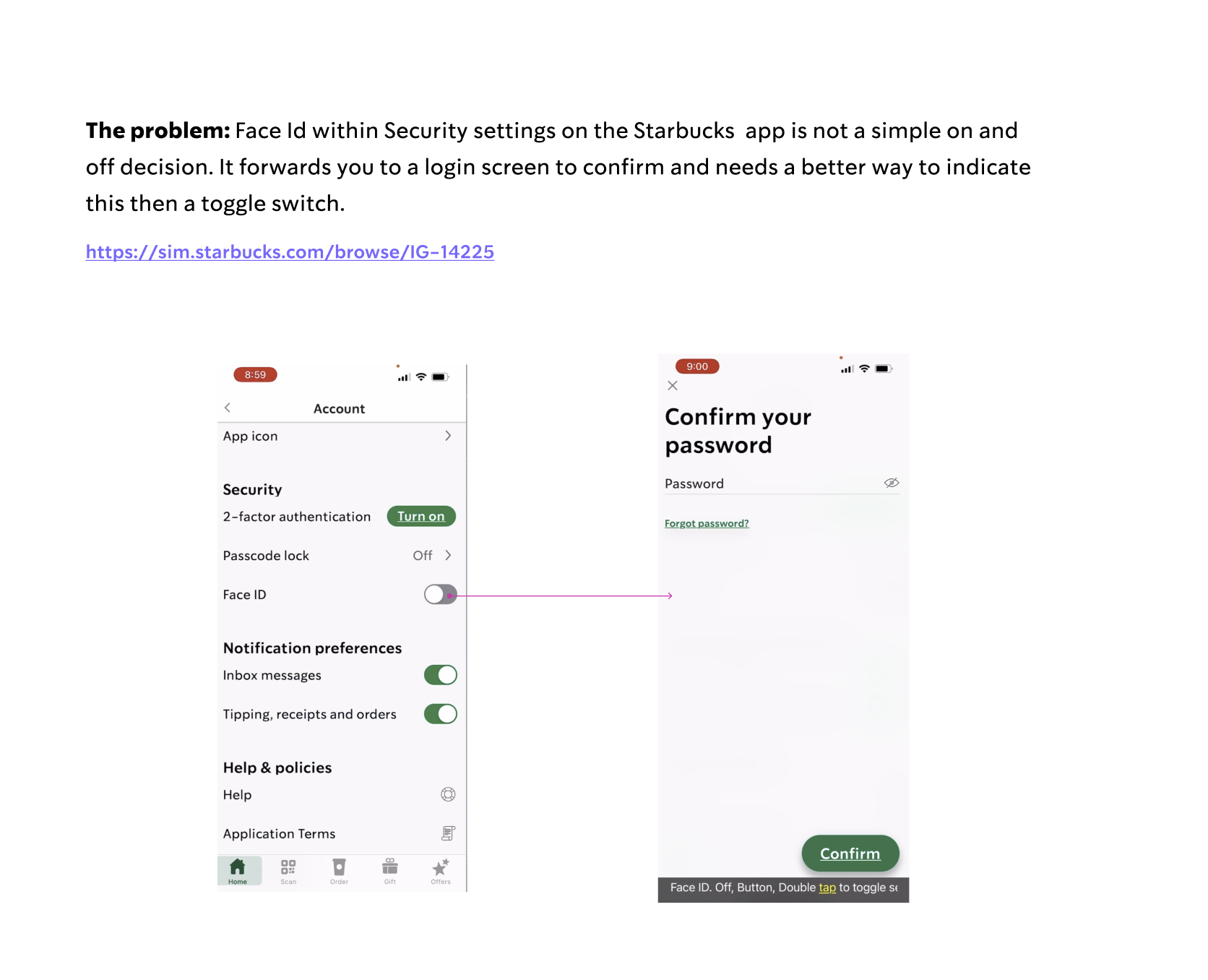
Prioritized with Impact in Mind: I audited and categorized the backlog of A11y bugs based on severity, customer impact, and frequency.
Established Clear Communication Channels: I created a structured workflow between Product Design, Engineering, and Accessibility teams using Jira and Atlassian.
Designed for Real Use Cases: Partnered with researchers and pulled direct customer feedback to guide solutions that addressed actual pain points—like screen reader navigation and button labeling.
Validated with Assistive Tech: Worked side-by-side with QA and Accessibility testers to validate every change using screen readers, switch controls, and keyboard navigation.

The Solution
Through consistent design updates and collaboration, we shipped solutions that improved:
Screen reader accessibility across ordering and rewards journeys
Proper semantic labeling for UI components
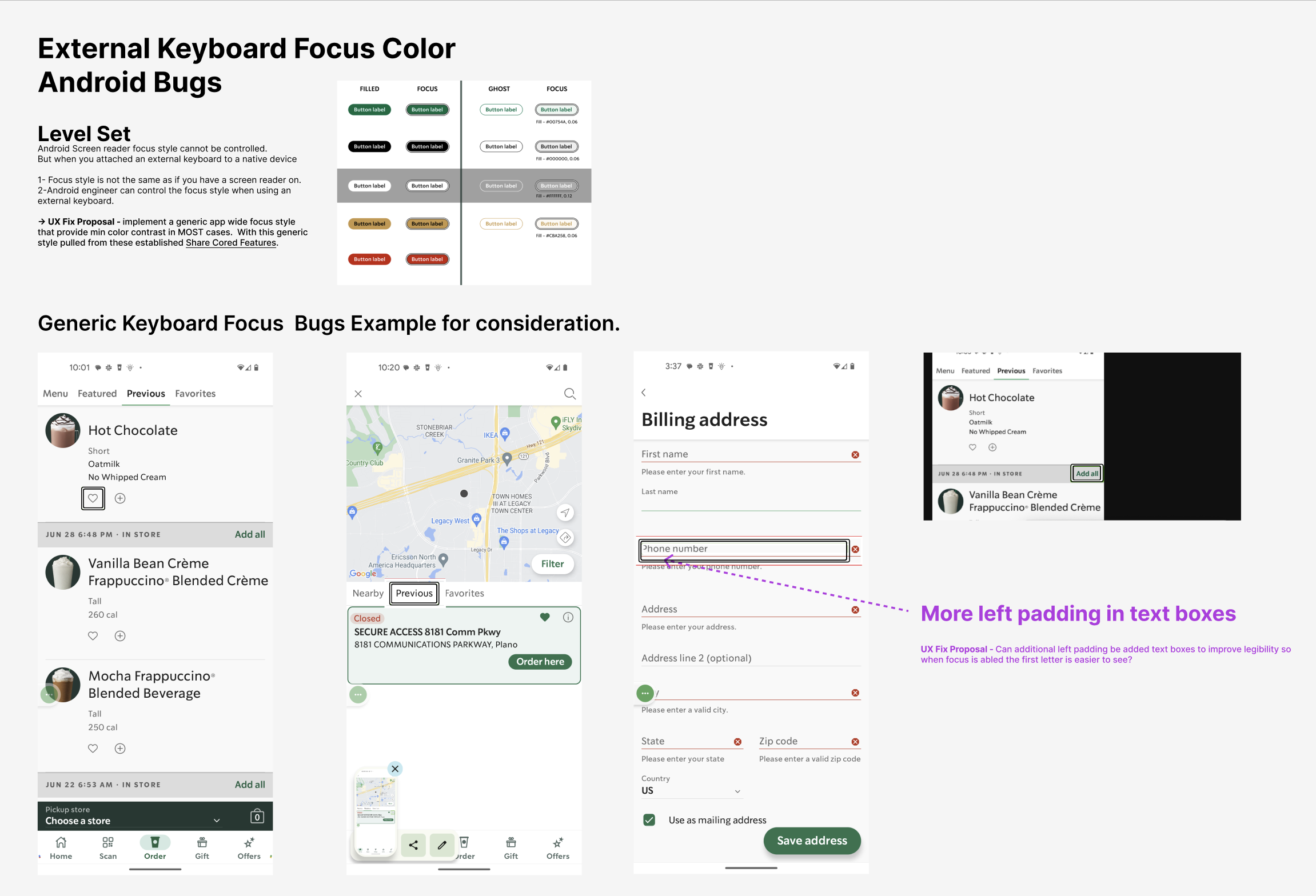
Focus states and navigation paths for both touch and keyboard users
Dynamic content announcements and ARIA role improvements
The Impact
▼ Drop in A11y-related support tickets within 6 months
↑ Increase in task completion for screen reader users (based on internal usability testing)
↑ Boost in app accessibility across platforms